Localize content
Localizing is more than translating. You might keep the same language but change cultural references, regional terms or currency, as when adapting British English content for an American audience.
Ways to localize contentLink copied!
Amplience supports two ways to localize content:
- Field level. One content item with a set of fields for each locale. This works well for a single site, a small number of locales and an in-house team.
- Content item level. A separate content item for each locale. This works well when in-market teams do their own localization, when variants differ structurally, or when regions publish at different times.
In the new platform, you can localize content at field level, and edit content that's been localized at item level. To create item level localized content, use the classic platform.
New to localization?
For a fuller explanation of the concepts, see Localizing content in the classic platform docs. The concepts are the same, but the steps in the new platform are different.
Before you startLink copied!
Both methods use locales, which combine a language and a country code, such as en-GB or fr-FR. Before you can localize content:
- An administrator needs to set up your locales
- Your developers need to make the content type localizable
Localize content at field levelLink copied!
Creating localized content is the same as creating any other type of content, the only difference is that you can enter separate values for each locale in each localizable property.
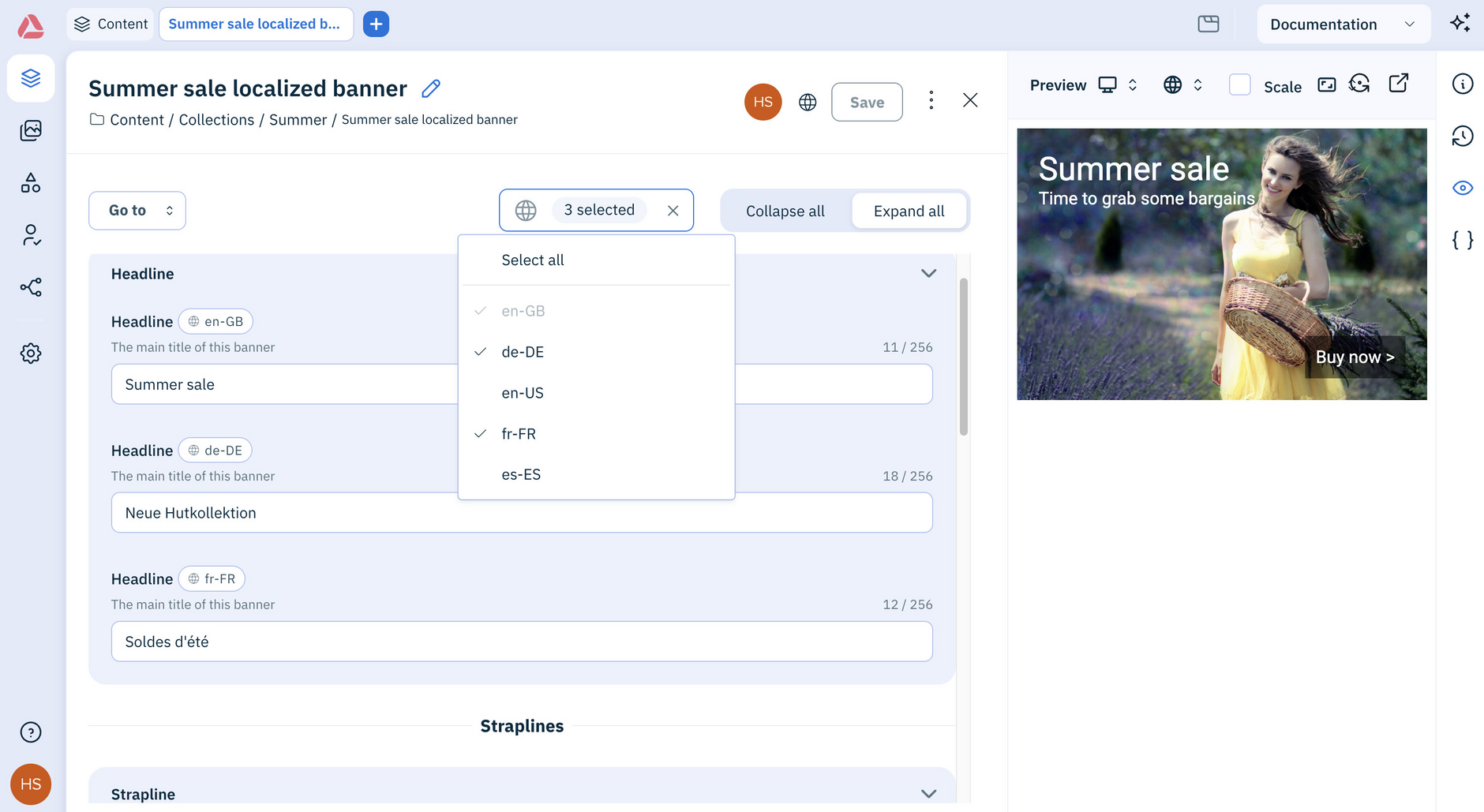
The content for a simple banner is shown below. The headline, strapline and background image properties have been set up to be localizable and separate fields are shown to allow the user, or different users providing each translation, to enter a value for each locale that has been added to the hub.
In this example a subset of the locales have been selected to display:
Edit item level localized contentLink copied!
Content items localized at item level appear in the Content library like any other item. Open one to edit it, then save and publish as usual.
Note
You can't yet create item level localized content in the new platform. To create a localized version of a content item, use the classic platform. See Localizing content at item level.
Let the Assistant localize contentLink copied!
You can ask the Assistant to localize content for you, for example: "Add a Spanish headline for the open sale banner content". Review what it's done before you save.