Asset repositories
An asset repository is an organizational container within hubs used to group and manage your digital assets, such as images and videos.
Asset repositories sit above folders and sub-folders in the organizational hierarchy. For example, you might have an asset repository called "My fashion brand" with sub-folders for "Men" and "Women"
Note
The repository/folder structure is purely organizational, it has no effect on an asset's delivery URL, so moving assets between repositories or folders doesn't change how they're accessed.
Create an asset repositoryLink copied!
Before you start
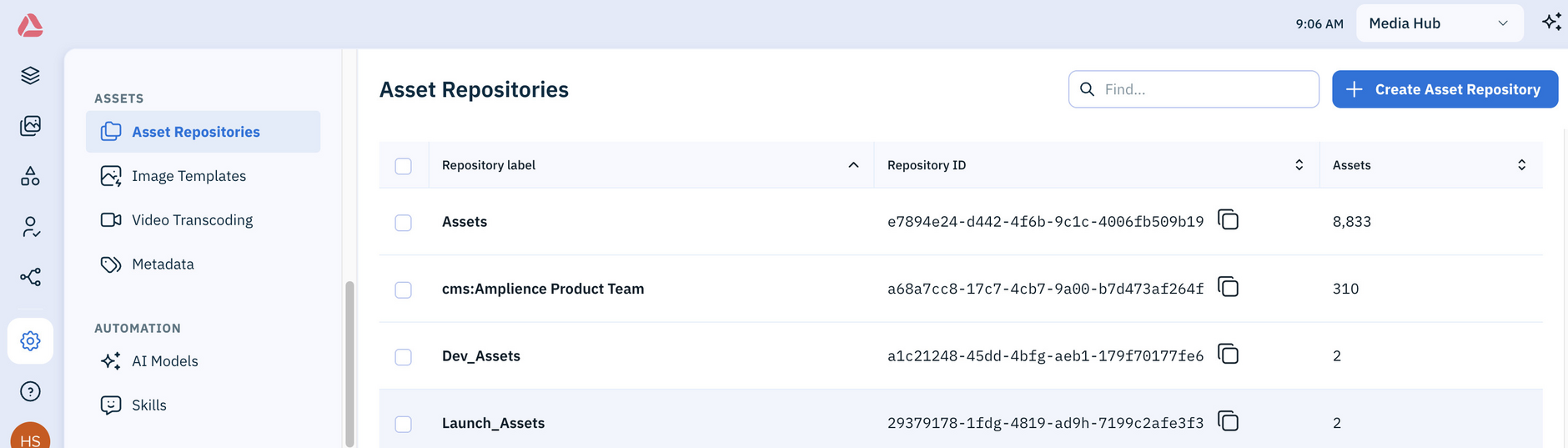
Asset repositories are hub-specific. Check which hub you're using in the top-right of the window.
In Settings, choose Asset Repositories from the Assets section.
Click the Create Asset Repository button and then enter a label.
Once you've created an asset repository, you can add, rename and delete folders inside it from the Assets library. See Manage folders.