Organize and share assets
Keep your assets easy to find by organizing them into asset repositories and folders, and share them with the people who need them.
Asset repositories and foldersLink copied!
Your assets are stored in the Assets library, organized into asset repositories, folders and subfolders. Use them to group related assets together. For example, a fashion brand might have an asset repository called "My fashion brand", with folders for "Men" and "Women".
Asset repositories are created by an administrator in Settings. Within a repository, you can add folders and subfolders to keep the assets for a project or campaign together.
Moving assets between repositories or folders doesn't change their delivery URLs, so you can reorganize without breaking any links.
Manage asset foldersLink copied!
Add, rename and delete folders in the Assets library.
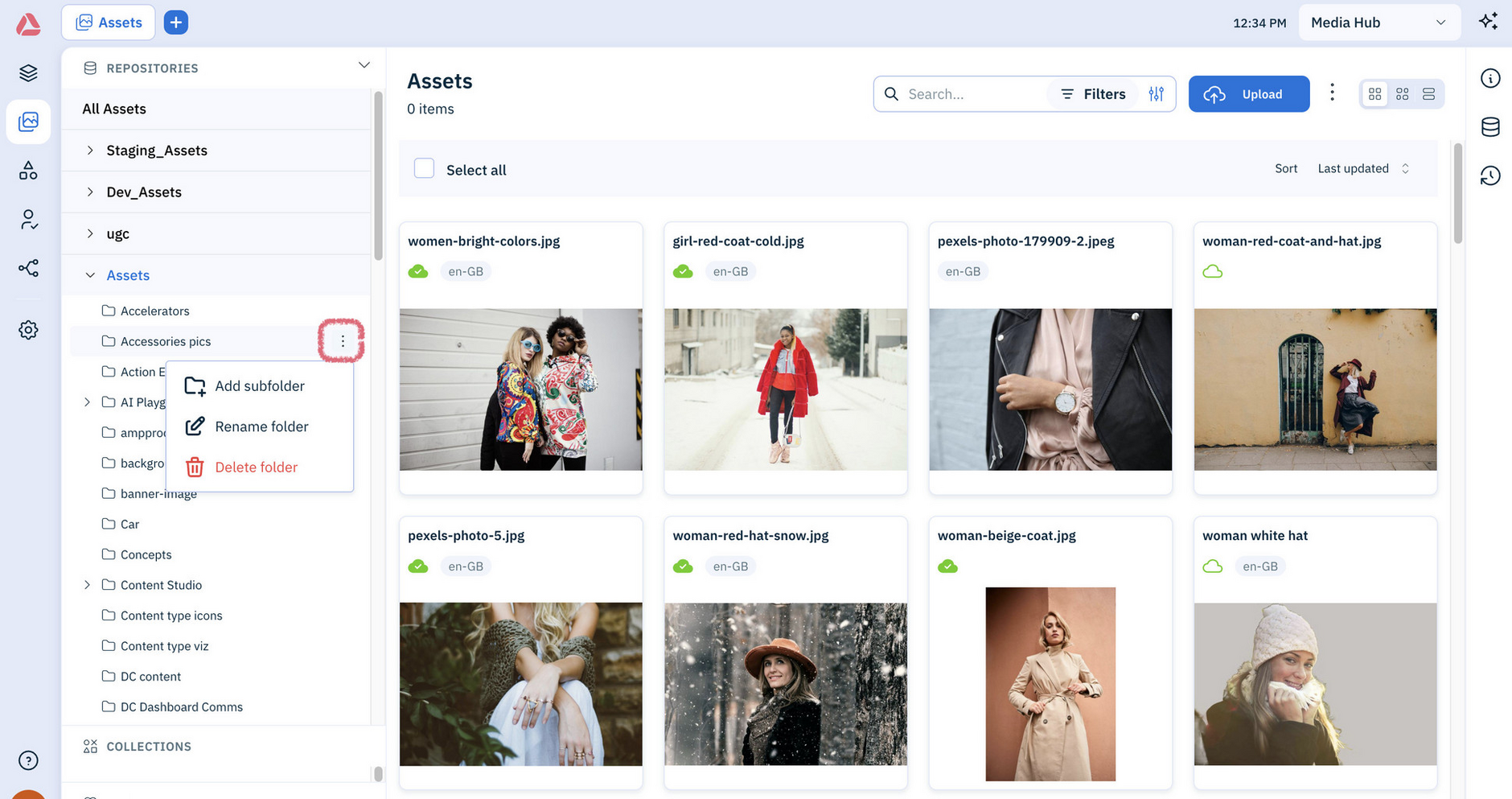
To move assets to a different folder, drag them onto the folder.
Tip
You can ask the Assistant to set up folders for you. Name the asset repository and describe the structure you want, for example "Create folders for Men, Women and Kids in the Summer Campaign asset repository".
Manage asset localesLink copied!
Asset locales, together with localizations, allow you to organize your assets to serve localized variants of an asset for different countries and regions. A locale is a combination of a language, for example French, English or Bulgarian, and an optional country variant, such as France or Belgium. For example, you might use fr-FR for France, and fr-BE for French content for use in Belgium.
To manage and use asset locales, use the classic platform. See Asset locales.
Set asset workflow statusLink copied!
You can set each asset’s workflow status, such as draft, in review, approved or archived, and assign it to a user.
To set asset status and assign to user, use the classic platform. See Asset workflow status.
Share assetsLink copied!
Use Media share to share assets with people outside Amplience. Each shared asset gets a publicly accessible link, which anyone with the link can use to view or download it.
To share assets, use the classic platform. See Media share.